Guides › Troubleshooting
Fix common problems
Updated 2026-10-26
Frozen live video, a server that won't answer, empty playback, no remote access, missing notifications, offline cameras.
Live video shows one frame that doesn't move
Usually only away from home, through Sentinel Cloud, while playback works. Update the server, Sentinel Operator and the iPhone app to the latest version. See Upgrade Sentinel.
The Operator doesn't open
- On a Mac, check the menu bar shield. Red means the server is stopped: choose Start Server. See The menu bar shield.
- On Linux, run
systemctl status sentineland readjournalctl -u sentinel -n 50. - A Mac that slept stops answering until it wakes. See Keep the Mac awake.
Playback is empty, slow or stops
- A playback tile says why it is empty: still loading, the server can't be reached (use Retry), or there is no recording for that time. Check the camera's recording mode in Recording modes and storage: Off (live only) and Events only leave gaps.
- If Admin → Servers → Recording Servers shows Recordings disk is slow, the drive is struggling. Check the drive and its cable, or move recordings to another disk.
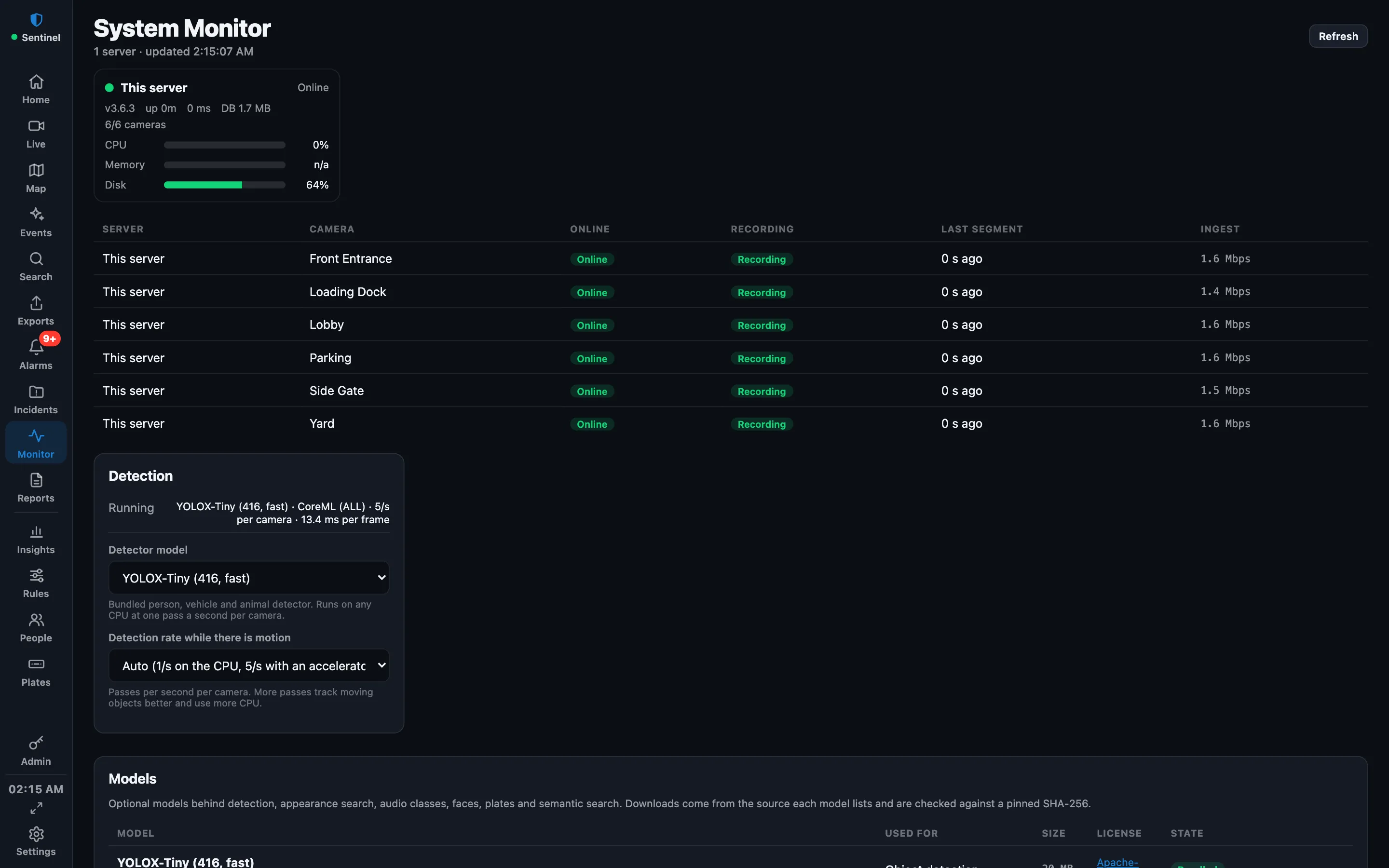
- The Monitor tab shows each camera's last recorded segment.
The phone can't connect away from home
- Open Admin → Basics → Sentinel Cloud: the remote address should say connected, and Allow remote access should be ticked.
- After you turn Sentinel Cloud off and on again the address changes. Open the app once at home to pick up the new one.
No notifications
- Admin → Rules and Events → Notifications → Send test push. If it doesn't arrive, check that notifications are allowed for Sentinel VMS in the iPhone's Settings.
- If the test arrives, make sure an alarm rule is set to Dashboard + iPhone push.
- Check Quiet hours: only Critical alarms get through during them.
A camera shows offline
- Check its RTSP address, user name and password in Admin → Devices → Cameras.
- Budget cameras allow only two connections. Close the camera's own app, or set the Live view stream to Same as recording.
- An iPhone camera reads Not streaming when the app is closed or in the background, and Needs Sentinel Cloud when the plan has ended. See Use an iPhone as a camera.
Still stuck?
Email hello@sentvms.com with what you see, your version (Admin → Basics → System & Updates shows the server's) and the last lines of the server log.
More guides, including Sentinel Cloud setup and users and roles, are in the knowledge base for signed-in users.